I recently rebuilt my personal website around a simple idea:
Keep Obsidian as the private source of truth, and selectively publish public notes into a clean personal website.
This is less a Hugo tutorial and more a note about designing a publishing boundary between a private knowledge base and a public website.
This article documents the architecture, tradeoffs, and workflow I ended up with.
The repository names, URLs, and site pages in this article come from my own setup. If you follow the same approach, replace them with your GitHub username, repository name, domain, and navigation structure.
The final stack is a private-to-public publishing pipeline:
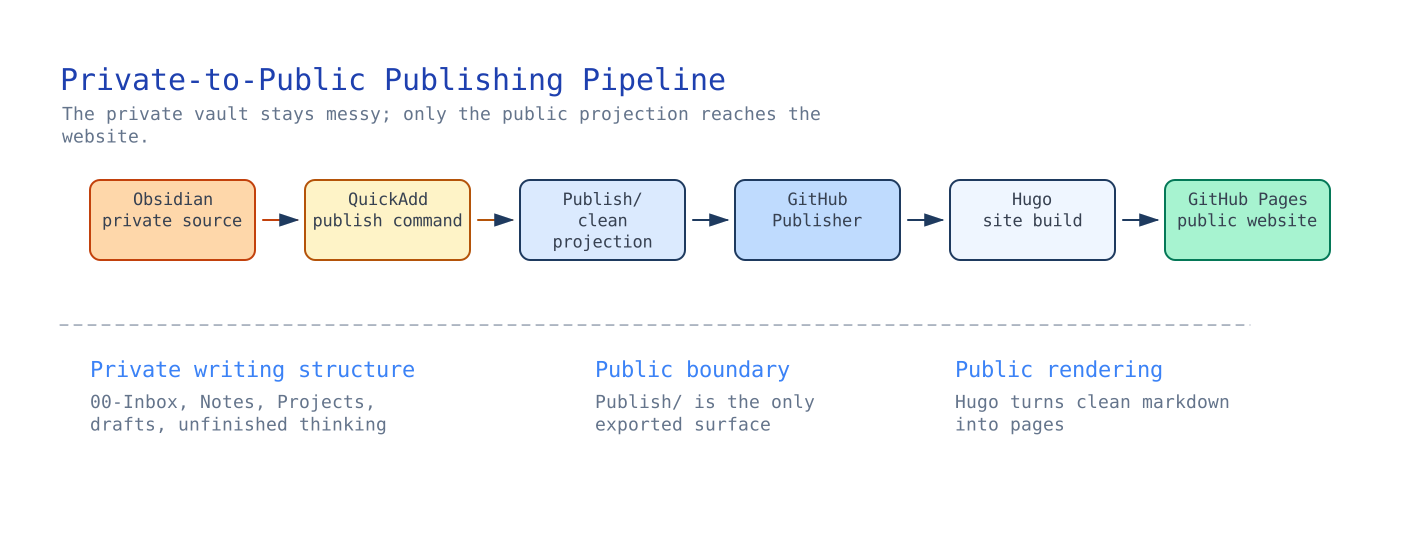
The result:
- I can freely write notes inside Obsidian.
- My private folder structure is never exposed publicly.
- Public notes can be published with one command.
- GitHub Pages deploys automatically.
Why I Did Not Want to Publish Directly from Obsidian Link to heading
Many tutorials suggest publishing directly from the Obsidian vault.
I decided not to do this.
The problem is that my Obsidian vault is also my private knowledge system.
It contains things like:
00-Inbox/
Projects/
Career/
Internal Notes/
Random Thoughts/
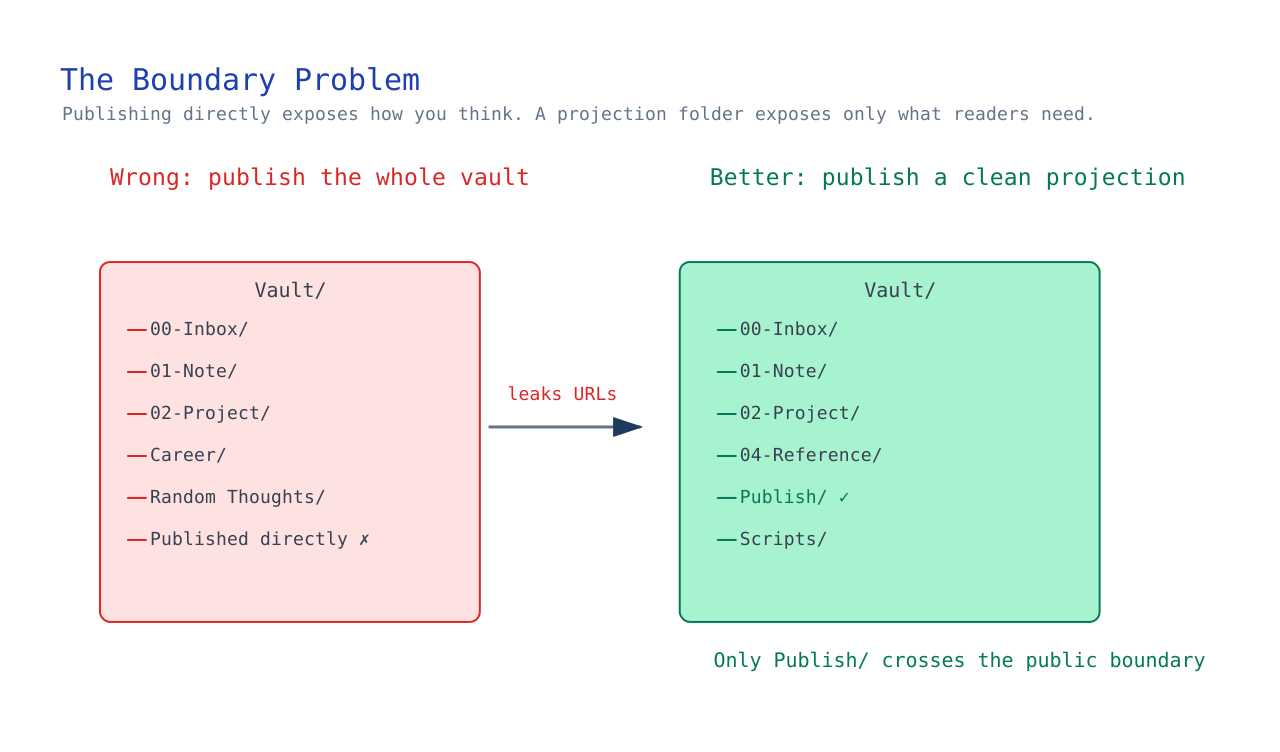
Publishing directly from the vault introduces a boundary problem:
- private structure leaks into public URLs
- internal note organization becomes public
- writing structure becomes constrained by publishing concerns
For example:
00-Inbox/Kafka Design.md
might become:
/posts/00-inbox/kafka-design/
I did not want my public site to reflect my internal thinking structure.
So I introduced an intermediate layer: Publish/.
This folder acts as a clean projection of public-ready content.
Final Architecture Link to heading
The final architecture separates writing structure from publishing structure.
That separation turned out to be the key design decision: my private vault can stay optimized for thinking, while the public website receives only clean, public-ready markdown.
Step 1 — Create the Hugo Site Link to heading
Install Hugo first.
Then create the site:
hugo new site yanqian.github.io
Enter the repo:
cd yanqian.github.io
Add the Coder theme:
git submodule add https://github.com/luizdepra/hugo-coder.git themes/hugo-coder
Update hugo.toml:
baseURL = "https://yanqian.github.io/"
languageCode = "en-us"
title = "Armstrong Yan"
theme = "hugo-coder"
Run locally:
hugo server
Step 2 — Deploy to GitHub Pages Link to heading
Create the GitHub repo: yanqian.github.io.
Then enable:
GitHub Pages → Source → GitHub Actions
Use Hugo’s official GitHub Actions workflow.
After that, every git push triggers GitHub Actions, builds the Hugo site, and deploys it to GitHub Pages.
Step 3 — Design the Site Structure Link to heading
I wanted the site to look more like a personal homepage than a traditional blog.
The final structure became Home, Projects, About, Now, and Resume.
Where:
- Home → public articles and writing
- Projects → project links
- About → profile
- Now → current focus/status
- Resume → resume information
Only the Home section changes frequently.
The other pages are mostly static.
The Boundary Problem Link to heading
At this point, Hugo worked.
But the real challenge was:
How do I publish selectively from Obsidian without exposing my vault structure?
I tried publishing by tag:
tags:
  - public
This worked partially.
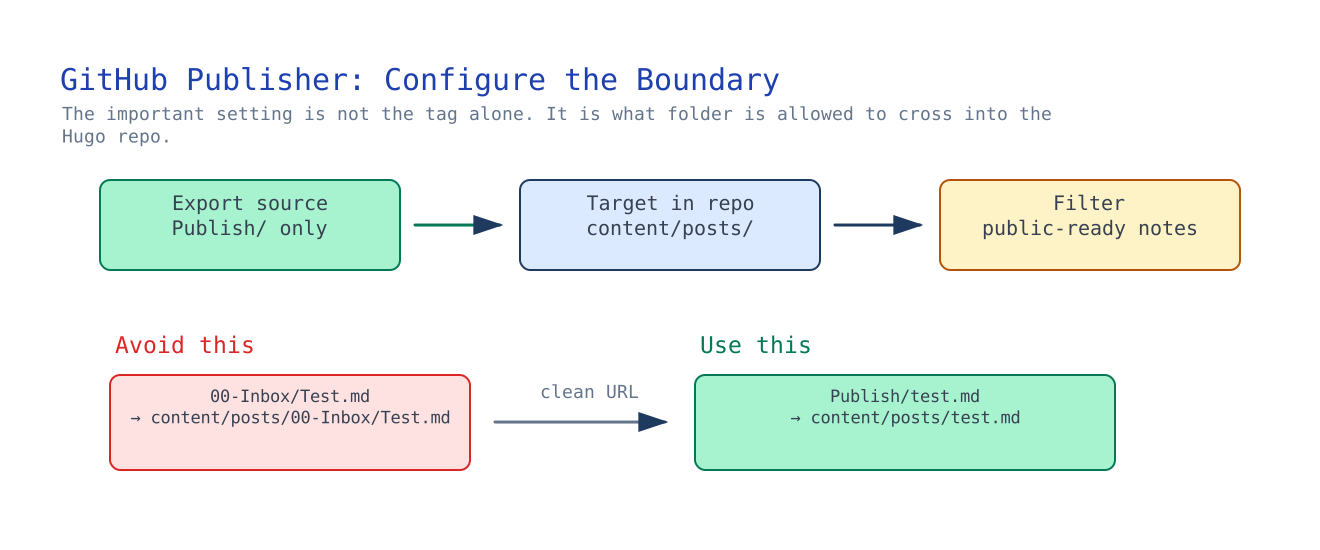
But GitHub Publisher preserved folder structure.
This caused:
00-Inbox/Test.md
to become:
content/posts/00-Inbox/Test.md
which I did not want.
The key issue was not Hugo itself. Hugo worked.
The real problem was deciding where the public/private boundary should live.
Step 4 — Introduce a Publish Folder Link to heading
I created Publish/ inside my vault.
Only this folder is synchronized to GitHub.
This solved the boundary issue cleanly.
Now any note can be projected into the public pipeline without exposing where it originally lived inside the vault.
Step 5 — Automate Publishing with QuickAdd Link to heading
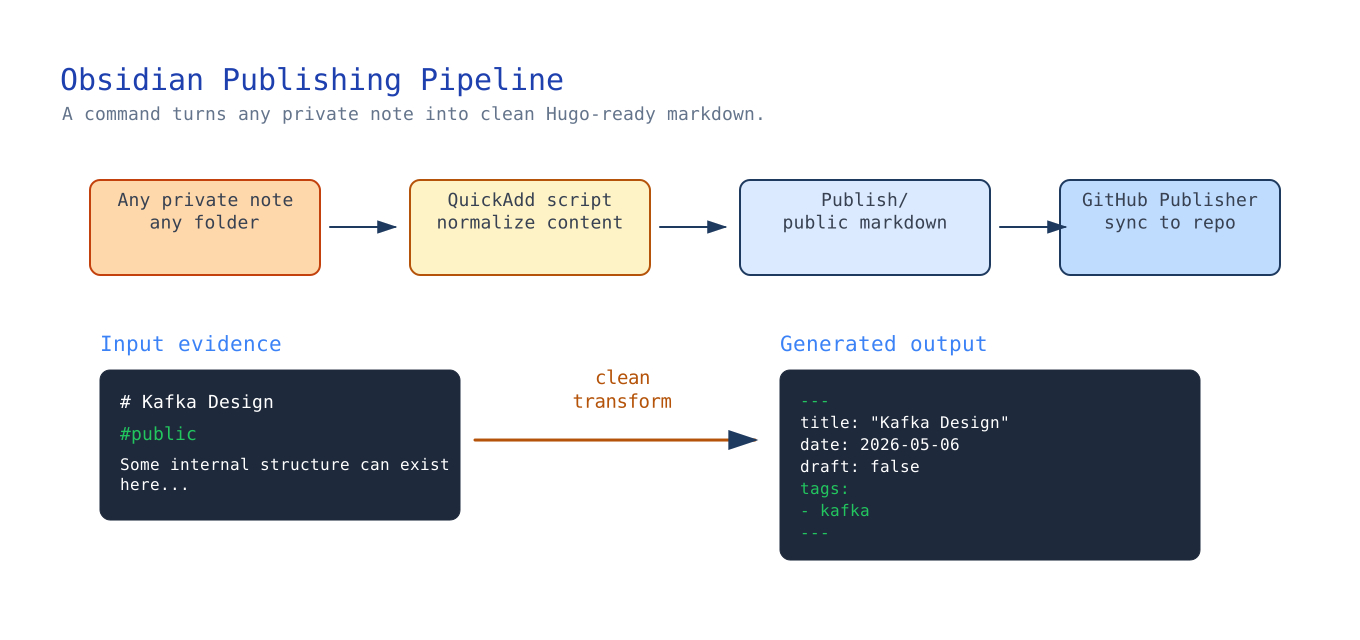
Manually copying files into Publish/ was annoying.
So I added QuickAdd automation.
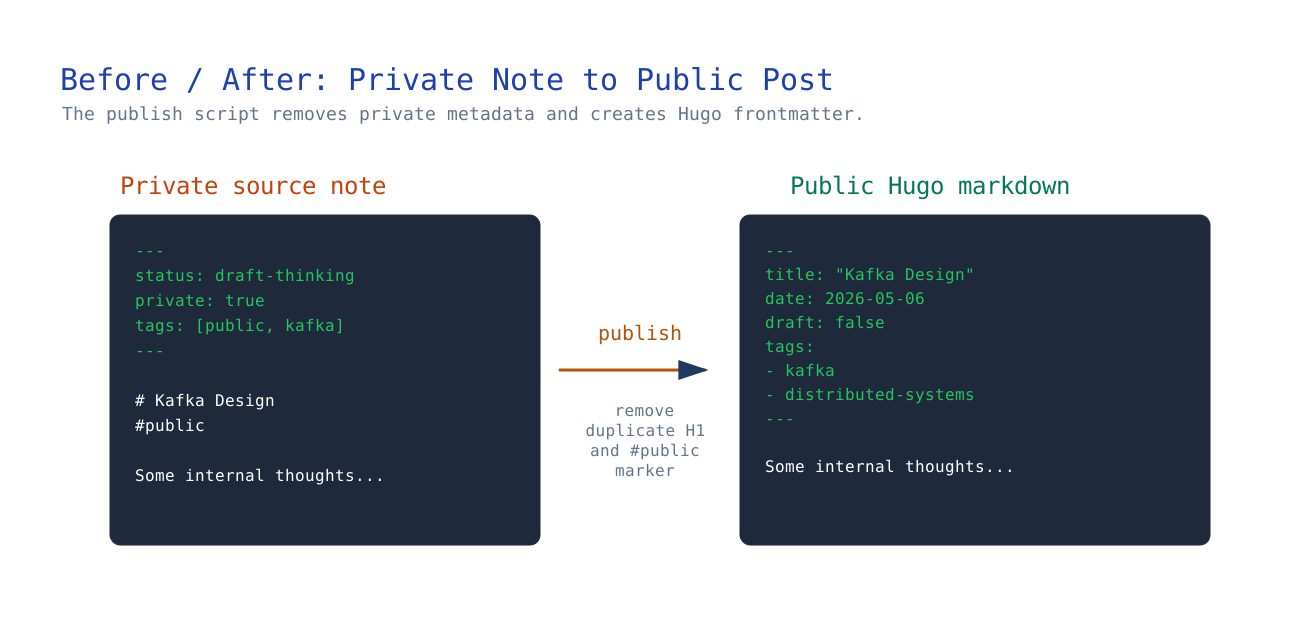
The publish script reads the current note, removes internal metadata, generates Hugo frontmatter, creates a slug, and writes the result into Publish/.
I deliberately keep this as a two-step workflow:
- Run
Publish Noteto generate or update the local public version underPublish/. - Run
Sync Published Sitewhen I am ready to push thePublish/directory to GitHub.
This keeps publishing explicit. I can update the public draft locally, inspect the generated Markdown and copied assets, then trigger the GitHub Publisher sync only when the article is ready to go out.
Step 6 — Frontmatter Design Link to heading
Published posts use Hugo-compatible frontmatter:
---
title: "Kafka Design"
date: 2026-05-06
draft: false
tags:
  - kafka
  - distributed-systems
---
Lessons Learned Link to heading
The biggest lesson was:
Publishing architecture matters.
A personal website is not only a frontend problem.
It is also a content pipeline problem.
The important separation became private thinking, public projection, and website rendering.
That is very different from treating the entire private vault as something to publish.
Final Result Link to heading
The final system gives me:
- private Obsidian knowledge base
- clean public publishing pipeline
- automated deployment
- minimal friction writing workflow
- clear public/private boundaries
Most importantly:
my note-taking structure no longer depends on my publishing structure.
That turned out to be the key design decision.